
WhatsApp is the most widely used messaging platform in the world—over 2 billion people rely on it daily. For businesses, this represents an enormous opportunity to connect with customers. But there's a problem: a single WhatsApp number simply cannot handle multiple agents, hundreds of conversations, and thousands of messages without chaos.
That's why we built WazLine.
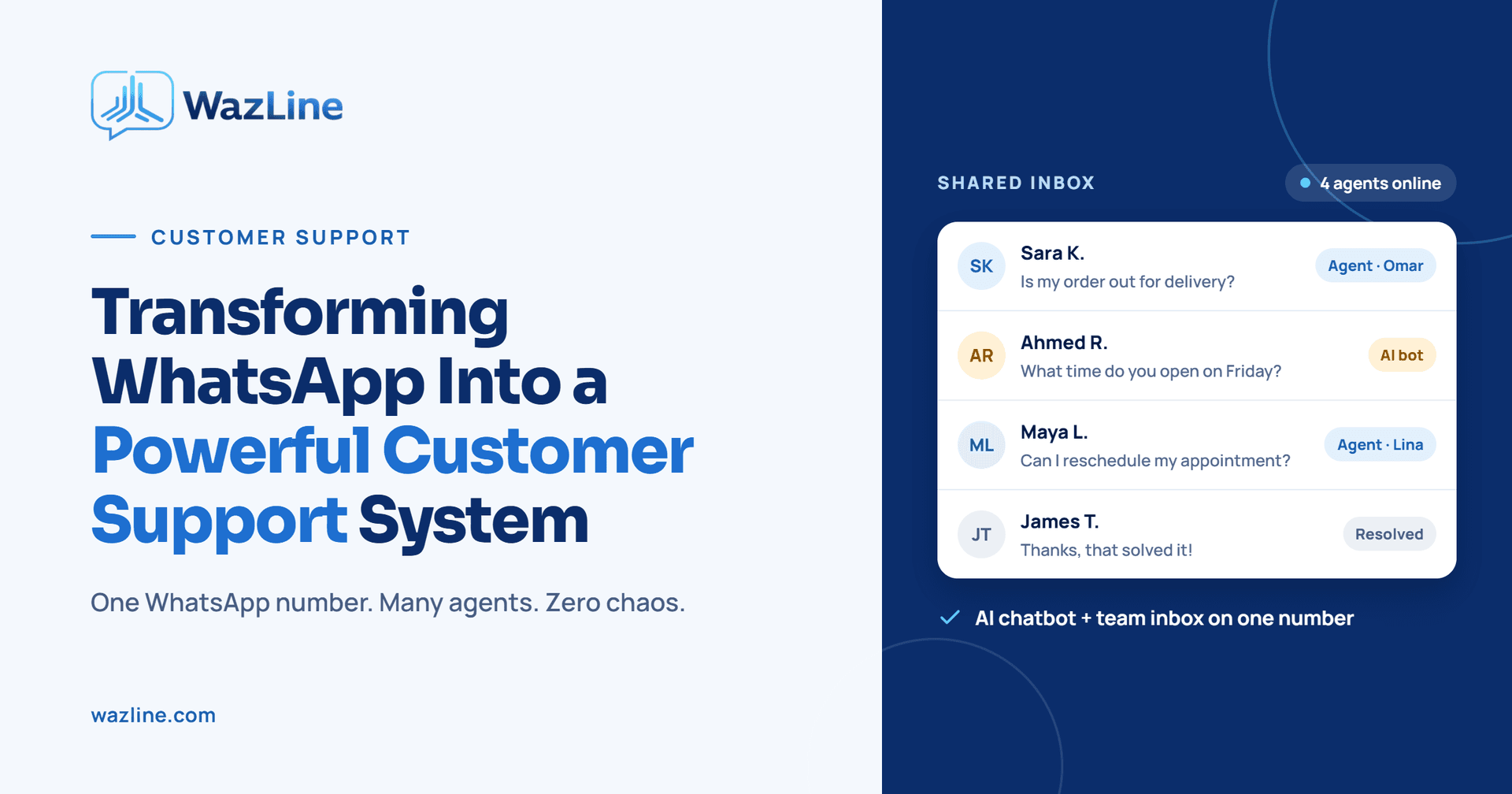
Wazline is a powerful customer support system that transforms a single WhatsApp number into a structured shared inbox for teams. It ensures clear conversation ownership, instant chat takeovers, and zero missed customers. This blog will walk you through every aspect of WazLine—from its AI-powered automation to its admin dashboard, bulk messaging, and real-time communication system.
1. Introduction: The Problem with WhatsApp for Customer Support
If your business relies on WhatsApp for customer support, you've likely experienced these pain points:
- Multiple agents sharing one number: Who replied to which customer? Who owns the conversation?
- Missed messages: Customers waiting hours for a reply, or worse—getting ignored entirely.
- No structure: Conversations scattered across personal phones, with no audit trail.
- Manual repetition: Agents answering the same FAQs over and over again.
- No scalability: What happens when your business grows and you need 10 agents on WhatsApp?
Traditional WhatsApp Business apps are designed for small businesses, not growing teams. They lack shared inboxes, role-based access, and automation. WazLine solves all of this and more.
2. What is WazLine?
Wazline is a customer support system built on top of the WhatsApp Business API. It transforms a single WhatsApp number into a shared inbox for your entire support team. Every conversation is tracked, every agent has clear ownership, and no customer is ever left waiting.
But WazLine is more than just a shared inbox. It includes:
- An intelligent AI agent that auto-replies using trained data (products, FAQs, policies)
- Human escalation — when a customer needs a real person, they're instantly routed
- Bulk messaging — send campaigns to thousands of customers
- Real-time analytics — track AI performance, token usage, and human escalation trends
- Admin dashboard — manage agents, campaigns, lists, templates, and AI settings
- WebSocket-powered real-time updates — no page reloads, no delays
In short, WazLine turns WhatsApp into a fully structured, team-ready customer support platform.
3. User Types & Roles: How WazLine Structures Your Team
WazLine has three distinct user types, each with their own access level:
- Admin: Full system control. Can access the complete admin dashboard, manage agents, send bulk campaigns, configure AI settings, and view analytics.
- Agent: Customer support agent. Has access to the chat panel only—they can send and receive messages, but cannot manage agents or campaigns.
- AI Agent (ID: 0): Automated assistant. It handles auto-replies and escalates to human agents when needed.
The permission matrix is strict: Admins cannot send/receive messages, and Agents cannot create campaigns or manage AI training data. This separation ensures clean workflows and security.
4. Login & Authentication: Simple and Secure Access
WazLine's login system is straightforward. Users enter their email and password, the frontend validates the input, and the backend verifies credentials. If successful, the system checks the user's role:
Admin (is_admin = 1) → Redirected to the Admin Dashboard
Agent (is_admin = 0) → Redirected to the Chat Panel
Validation rules are enforced: email must be in a valid format, and passwords must be at least 6 characters long. If credentials are incorrect, a clear validation error is shown.
5. The Agent Panel: A Real-Time Chat Experience
The Agent Panel is where your support team spends most of their time. It's a real-time chat interface that supports text, images, PDFs, and videos. Agents see incoming messages instantly, with no page reloads—thanks to WebSockets.
Key features of the Agent Panel:
- Real-time messaging via Laravel Reverb (WebSockets)
- Media support: Text, images, PDFs, videos
- Notification alerts when a chat hasn't been opened
- Sidebar modules for New Customers, My Customers, and Other Agents
- Instant chat takeover — any agent can claim a conversation
This panel is designed for speed and clarity, ensuring agents never miss a customer.
6. New Customers, My Customers & Other Agents: Smart Routing
WazLine's sidebar is divided into three sections that keep conversations organized:
New Customers: When a customer sends a message containing a "human triggered word" (defined in AI settings), they immediately appear in the New Customers section. The frontend listens for a real-time event and runs updateNewCustomerList to update the sidebar instantly.
My Customers: This section shows customers assigned to the currently logged-in agent. When assignments change, the backend fires an event, and updateMyCustomerList refreshes the list.
Other Agents: This shows all agents except the logged-in one, along with their assigned customers. Agents can take over customers from any other agent. The updateOtherAgents function keeps this section live.
This routing system ensures every customer is assigned, and no conversation falls through the cracks.
7. The Main Chat Container: Everything in One Place
The main chat container displays the full conversation thread between the agent and the customer. It supports:
Text messages
- Media messages (images, PDFs, videos)
- Real-time updates via WebSockets
- Notification when the agent hasn't opened a chat
On the backend, incoming messages are received in the WhatsApp webhook controller, sanitized, and stored in the WhatsappWebhook and messages tables. The system checks if the customer is new or returning:
- New customer → assigned to AI Agent (ID 0)
- Returning within 1 hour → previous agent assigned
- Returning after 1 hour → reassigned to AI Agent
Outgoing messages follow a similar flow: the agent types a message, the form submits via JavaScript, the backend sanitizes the data, stores it in the messages table, and fires a Reverb event. The frontend listens and updates the sidebar, chat container, header, and notifications in real time.
8. The Admin Panel: Complete Control at Your Fingertips
The Admin Panel is the command center for WazLine. It includes:
- Dashboard — Total Agents, Active Agents, WhatsApp Bulk Messaging Limit
- Agents Management — Add, edit, and manage agents
- Bulk Messaging — Manage contacts, templates, and lists
- Campaigns — Create, send, and track campaigns
- Settings — Update admin profile
- AI Settings — Configure OpenAI API key, max tokens, temperature, and human trigger words
- AI Training Data — Add products, FAQs, policies, and knowledge base entries
- AI Analytics — View message volume, AI responses, token usage, and escalation trends
This panel gives admins full visibility and control over the entire system.
9. Dashboard: Real-Time Insights at a Glance
The Dashboard shows three key cards:
- Total Agents: Number of agents (excluding admin)
- Active Agents: Agents with status "active" (excluding admin)
- WhatsApp Bulk Messaging Limit: The daily limit from Meta API, updated every 24 hours
The bulk messaging limit is fetched from Meta API using the whatsapp_phone_id and whatsapp_token from the environment. It's stored in the whatsapp_bulk_messaging_limit table and updated by a scheduled job every 24 hours.
10. Agents Management: Add, Edit & Track Your Team
Admins can add, edit, and manage agents from this module. The add agent form includes:
- Name (required)
- Email (required, unique)
- Password (required, min 6 characters, confirmed)
- Status (active/inactive)
- Gender, Phone, Profile Image (nullable)
On edit, the form pre-fills existing data. Passwords are optional—if provided, they're hashed and updated. Email must be unique, and images must be JPEG, JPG, GIF, or PNG.
11. Bulk Messaging: Reach Thousands in One Go
Bulk Messaging allows admins to send messages to large groups of contacts. It includes three cards:
- Customers: Total contacts in the contacts table. Add manually or upload CSV.
- Templates: Fetched from WhatsApp Business API and stored in the templates table.
- Lists: Create contact groups by selecting existing contacts or uploading CSV.
When uploading CSV, WazLine checks for duplicates and marks them accordingly. Only "OK" contacts are stored.
12. Campaigns: From Draft to Sent in Minutes
Creating a campaign is a step-by-step process:
- Enter name & description → stored in session
- Select a contact list → checks against daily limit
- Select a WhatsApp template → click "Create Campaign"
The campaign is stored in the campaigns table with Draft status. When you click "Send Campaign," it dispatches the sendCampaignMessages job, which processes messages in batches and updates progress in real time. Campaign statuses include:
- Draft → shows "Send Campaign" button
- Sending → shows real-time progress
- Sent → shows "Campaign Detail" button
13. AI Settings & Training Data: Make AI Work for You
In AI Settings, admins configure:
- OpenAI API key
- Max tokens
- Temperature (0 = precise, 2 = creative)
- Human trigger word
Today's Summary shows total messages, AI responses, human escalation, and tokens used—pulled from ai_analytics.
In AI Training Data, admins can add:
- Products: name, description, price, variations, stock
- FAQs: title and content
- Policies: title and content
- Knowledge Base: title and content
Data can be added manually or via CSV upload. Search and filter options are available.
14. AI Analytics: Measure What Matters
AI Analytics visualizes data from the ai_analytics table:
- Message volume
- AI responses
- Token usage
- Human escalation trends
The getAnalytics function in AIAgentService.php aggregates data into $totals, and todaysSummary provides daily stats. This gives admins clear insight into AI performance and ROI.
15. The AI Agent (Built-in Assistant): Your 24/7 Support Rep
The AI Agent (ID 0) appears in "Other Agents" and works as follows:
- New customer → assigned to AI Agent
- Returning within 1 hour → previous agent
- Returning after 1 hour → AI Agent again
- Escalation: Customer types human trigger word → appears in "New Customers"
The AI agent handles FAQs, product queries, and policies automatically—then escalates to humans when needed.
16. Real-Time Communication System: Powered by WebSockets
WazLine uses Laravel Reverb for real-time communication. The flow:
Incoming message → WhatsApp webhook controller Data sanitized → stored in messages table Agent assigned → event fired Frontend listens → runs UpdateNewCustomersList, UpdateMyCustomersList, UpdateOtherAgents, UpdateHeader
This ensures instant UI updates without page reloads.
17. Database Tables & Technical Specifications
WazLine uses the following tables:
- users — Admins & agents
- customers — Customer information
- contacts — Contacts for bulk messaging
- lists — Contact groups
- campaigns — Campaign data & status
- templates — WhatsApp message templates
- messages — Chat history
- ai_analytics — AI usage statistics
- ai_training — AI training data
- whatsapp_bulk_messaging_limit — Daily messaging limits
Tech Stack:
- Backend: Laravel (PHP)
- Frontend: JavaScript, HTML5, CSS3
- Real-time: Laravel Reverb (WebSockets)
- Database: MySQL
- WhatsApp Integration: Meta WhatsApp Business API
- AI: OpenAI API (GPT)
- Scheduled Job: UpdateMessagingLimit (every 24h)
- Queued Job: sendCampaignMessages (batch sending)
18. Common Workflows: How It All Comes Together
New Customer Conversation: Customer sends first message → AI replies automatically. If customer types a human trigger word, they appear in "New Customers." First agent to reply claims ownership.
Create & Send Bulk Campaign: Campaigns → Create Campaign → name/description → select list → select template → Create (Draft) → Send Campaign → job processes batches.
Train AI with Products: AI Training Data → add product manually or upload CSV → AI uses data for contextual replies.
19. Conclusion
WazLine is more than just a WhatsApp tool—it's a complete customer support system built for teams that refuse to miss a single customer. With AI-powered auto-replies, real-time agent collaboration, bulk messaging campaigns, and deep analytics, WazLine transforms WhatsApp into a structured, scalable, and intelligent support channel.
Whether you're a small business with two agents or an enterprise with a full support team, WazLine ensures every conversation is owned, every customer is served, and every insight is captured.
Ready to transform your WhatsApp support? Contact us today to schedule a demo of WazLine.